Tennis Ball Retrieval Robot
Overview
An autonomous robot built to retrieve tennis balls on a court and return them to a designated drop zone. The video above shows a side-by-side view: left is the overhead tripod camera, right is the robot's onboard camera. The system uses a mecanum-wheel chassis for omnidirectional movement, a servo-controlled claw for ball pickup, and a dual-camera perception stack split across a Jetson Orin Nano (vision) and a Raspberry Pi (motion control) communicating over ROS2.
Ball Detection
Two approaches were explored for detecting tennis balls: HSV color filtering and a custom-trained YOLOv8 model. Each has distinct trade-offs for real-time robotics on a court.
HSV Detection
HSV (Hue-Saturation-Value) filtering isolates the neon-yellow color of a tennis ball in the image and draws a bounding box around the largest detected blob.
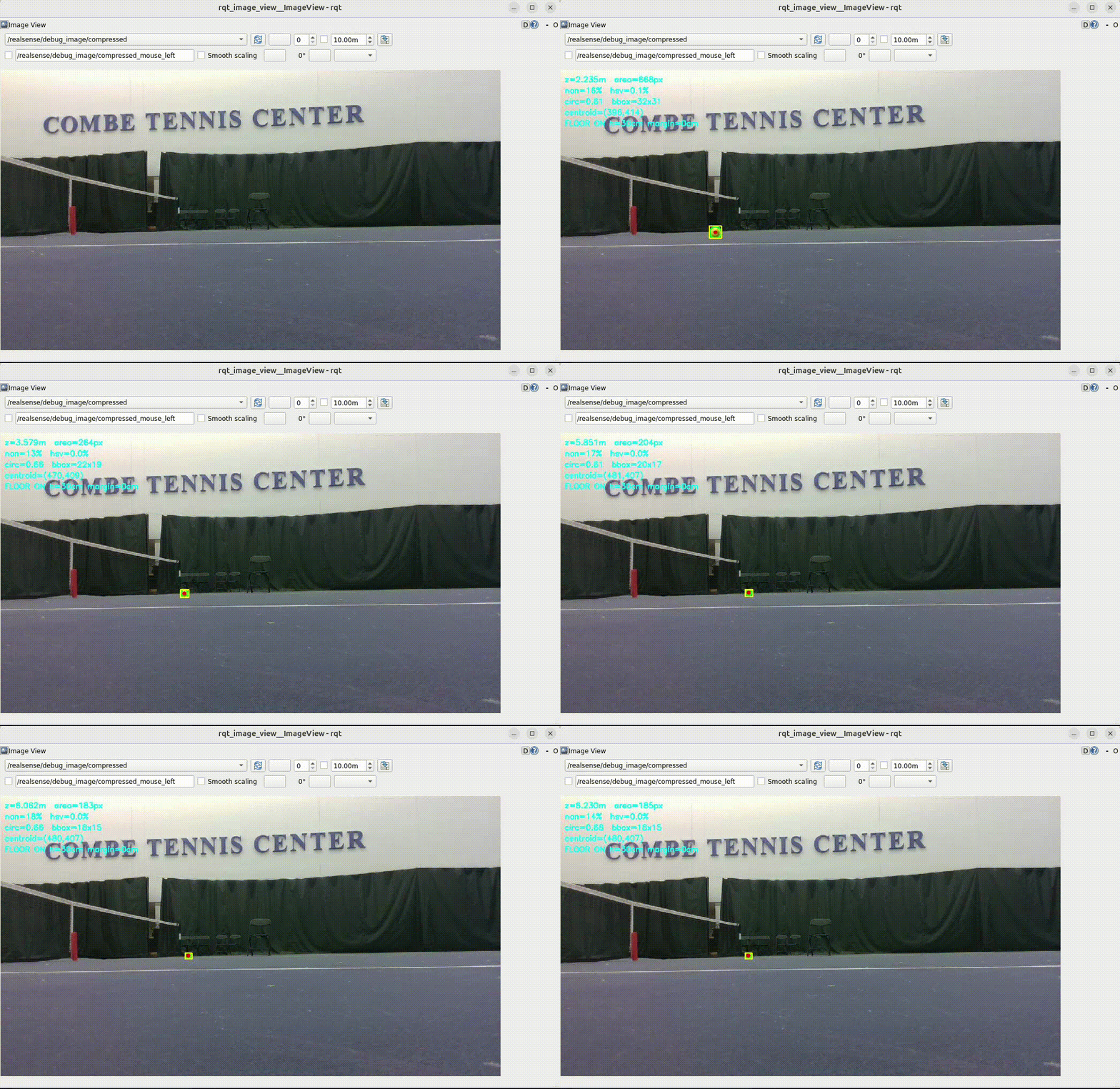
HSV ball detection in action
Advantages
- ✓Extremely fast — runs in real time with minimal CPU usage, allowing the robot to react and move at full speed.
- ✓No training data required; tuning a color range takes only minutes.
Limitations
- ✗Highly lighting-dependent: shadows, bright sun, or artificial court lighting can push the ball's HSV values outside the threshold, causing missed detections.
- ✗Will falsely trigger on any object with a similar neon-yellow hue on the court.
YOLO Detection
A custom YOLOv8 model was trained on annotated court footage to detect tennis balls regardless of lighting conditions.
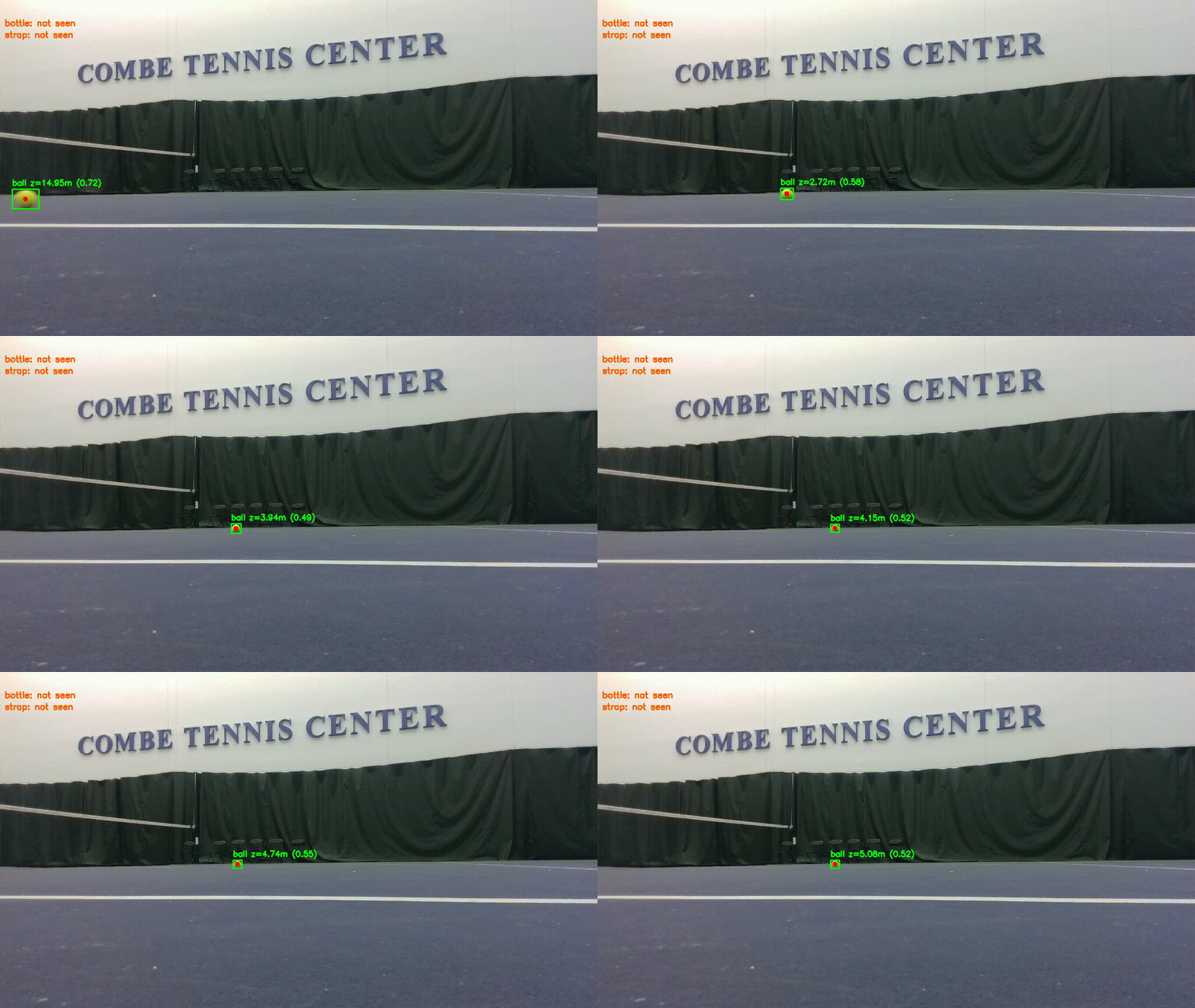
YOLOv8 ball detection in action
Advantages
- ✓Detects balls reliably from far away, even under varied or harsh lighting — the model learns appearance, not just color.
- ✓Lighting changes, shadows, and reflections do not affect detection quality once the model is well-trained.
Limitations
- ✗Requires manually annotating and training on custom court footage — time-consuming data collection.
- ✗Significantly slower than HSV inference; the robot must reduce its movement speed to keep up with the detection cadence and avoid losing track of the ball mid-motion.
Home Detection — Water Bottle
The robot needs to know where "home" (the drop zone) is at all times using only its onboard cameras — no pre-calibration, no AprilTags. A distinctively colored water bottle placed at the drop zone serves as the visual landmark. The robot locks onto it at startup and returns to it after every successful retrieval.
HSV Detection
A pink water bottle was chosen so its HSV range is easy to isolate on a court background. The robot searches for the largest pink blob to identify the home position.
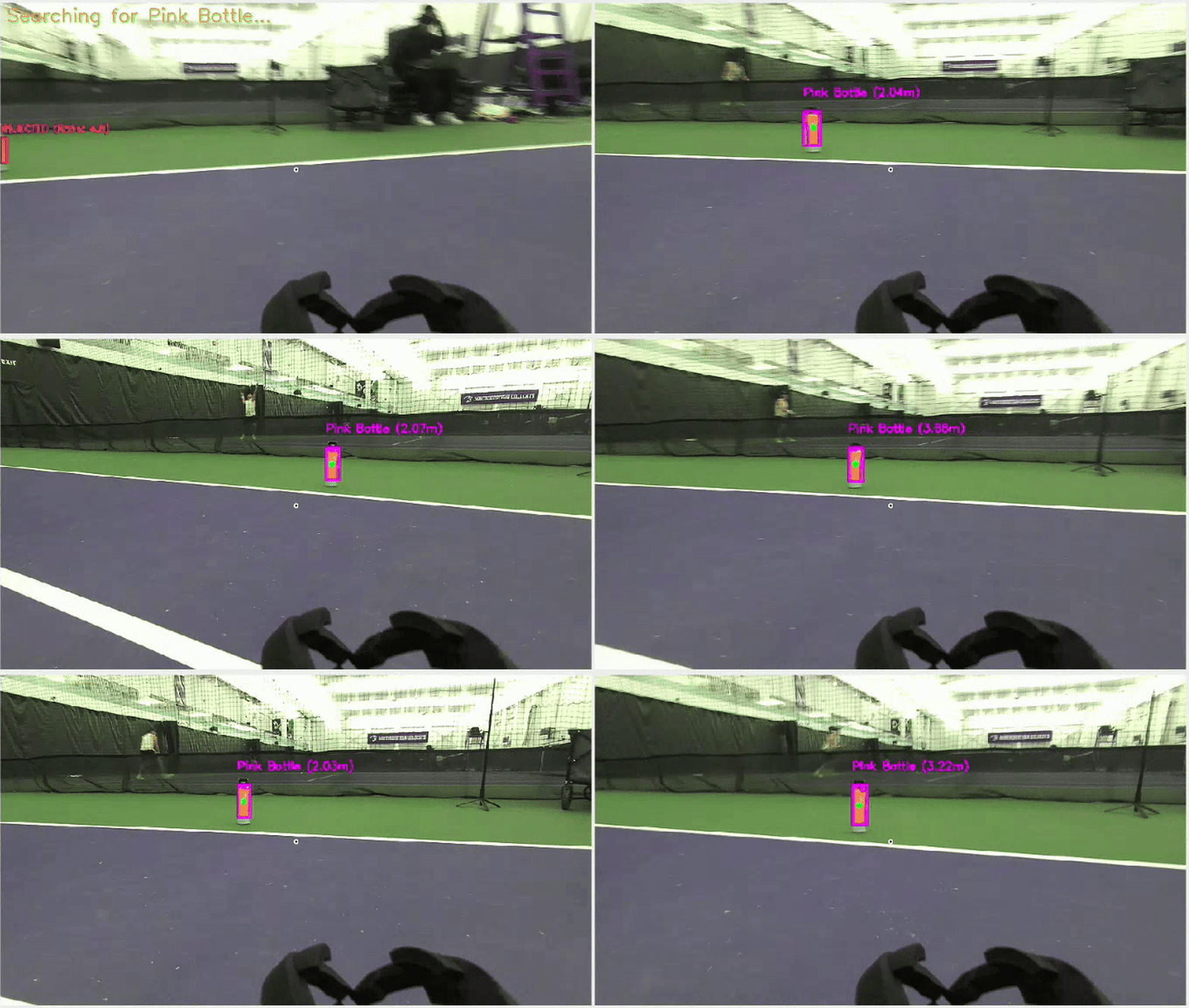
HSV water bottle (home) detection
Advantages
- ✓Any distinctively colored object works — not limited to a water bottle. Fast and zero-latency detection.
- ✓Simple to set up: swap colors in the config to match whatever landmark you place at home.
Limitations
- ✗Tennis courts have many colors in the environment (lines, cones, clothing). If the chosen landmark color already exists elsewhere on the court, the robot may lock onto the wrong object.
- ✗Requires manually selecting a landmark color that does not appear elsewhere in the scene.
YOLO Detection
A YOLOv8 class trained specifically on water bottles removes the color-conflict problem — the model identifies the object by shape and texture.
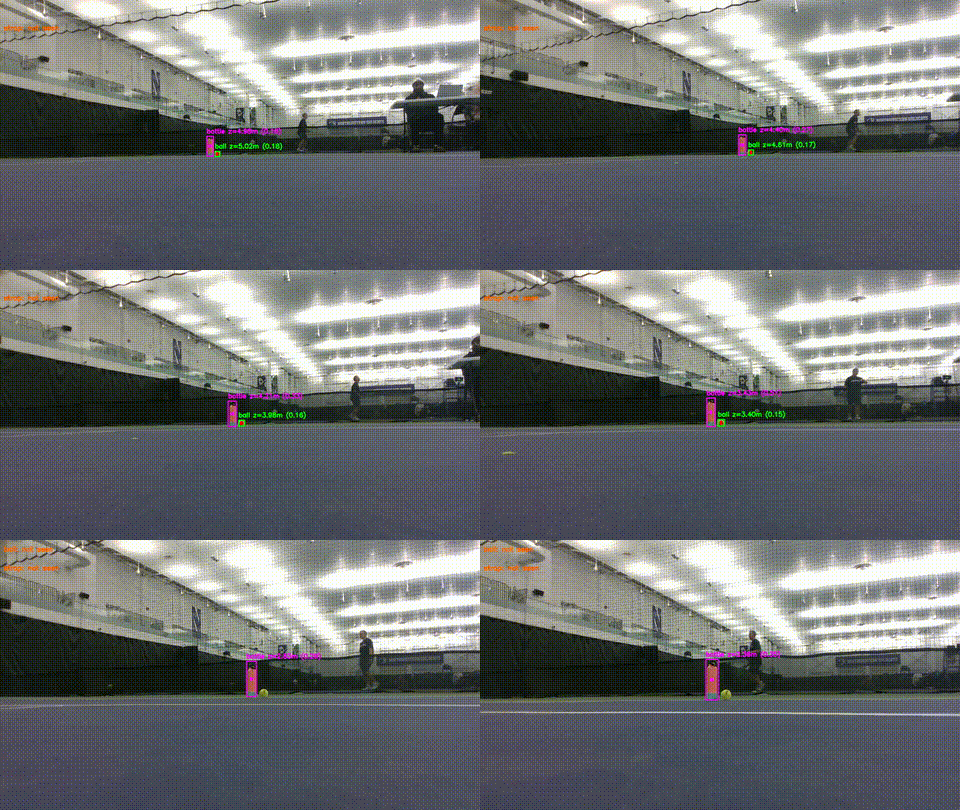
YOLOv8 water bottle detection
Advantages
- ✓No risk of mistaking court markings, cones, or clothing for home — the model identifies the actual water bottle.
- ✓Works with different lighting conditions without re-tuning a color threshold.
Limitations
- ✗The model was not trained on a diverse set of water bottles, so unusual bottle shapes or colors may go undetected.
- ✗Requires retraining or fine-tuning if the home object is changed to something other than a standard water bottle.
Tennis Net Strap — Court Orientation
To maximize court coverage, the robot needs to face perpendicular to the net before beginning its search sweep. It achieves this by rotating until the center net strap is visible — no encoder calibration or external markers needed. When the strap is centered in frame, the robot knows it has a full view of the court.
HSV Detection
The net strap is typically white — exactly the same as the court lines, which makes pure HSV filtering impractical. To use this approach, a colored marker (tape or cloth) must be manually placed on the strap to give it a distinguishable hue.
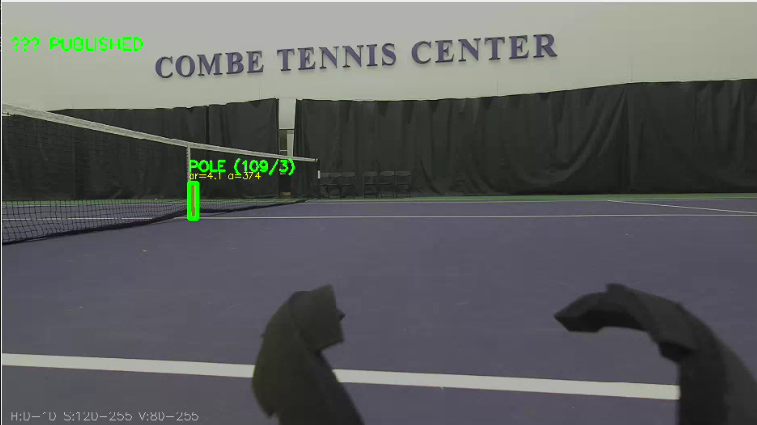
HSV strap detection requires a manually placed colored marker
Limitations
- ✗Requires physically modifying the court setup before every session — not a fully autonomous solution.
- ✗Court lines are also white, making it impossible to isolate the strap without the additional colored marker.
YOLO Detection
The custom YOLOv8 model was also trained to detect the center net strap as a distinct class. It recognizes the strap by its shape and position within the net, requiring no physical modification of the court.
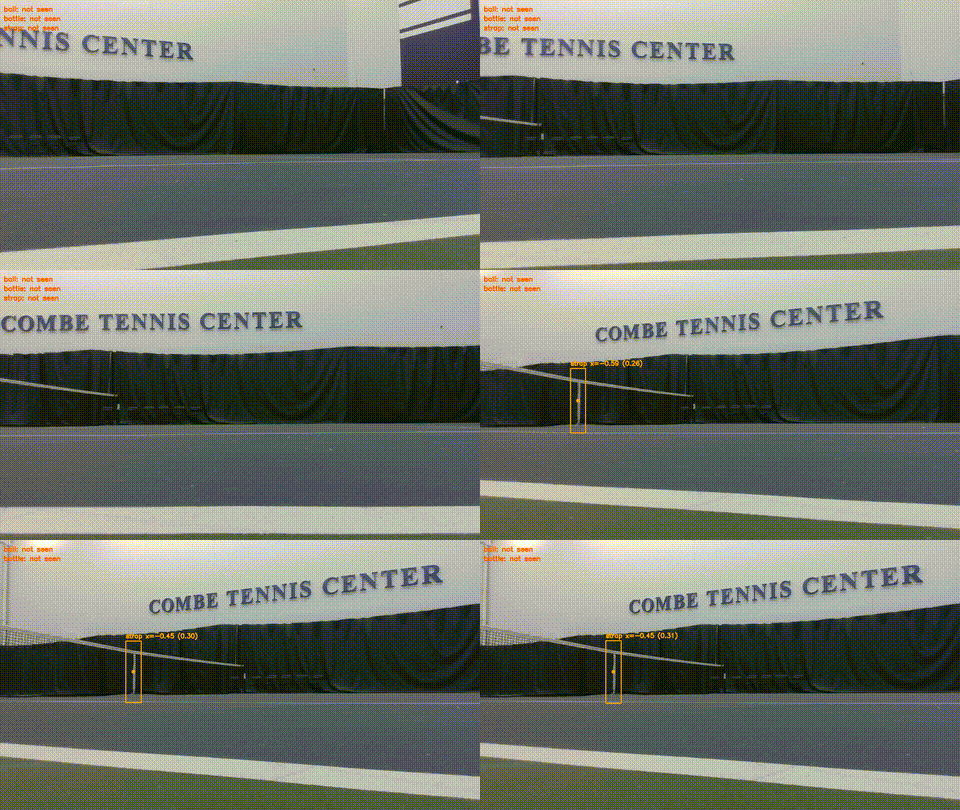
YOLOv8 reliably detects the center net strap
Advantages
- ✓Works out-of-the-box on any standard tennis court — no tape, markers, or court modifications needed.
- ✓Robust to varying net colors and lighting; detection quality remains consistent across courts.
Tennis Claw
A 2-DOF Dynamixel servo arm sweeps down, closes around the ball, and lifts it clear of the ground. The same motion in reverse releases the ball at the drop zone. The claw was designed and validated in simulation before deployment on the real robot.
Real Life
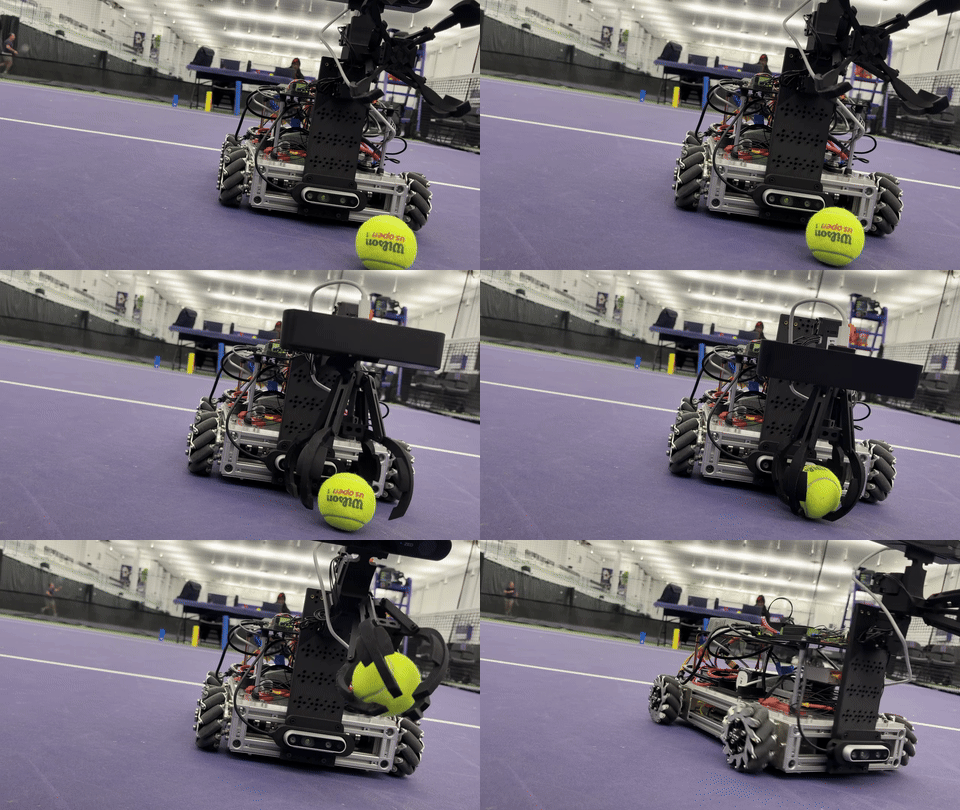
Claw picking up a tennis ball on the court
Simulation
Claw motion validated in simulation before hardware deployment — Simulation by Nolan Knight
System Architecture
Perception runs on the Jetson Orin Nano (YOLO inference, depth estimation) and publishes detections over ROS2. The Raspberry Pi subscribes to those topics and runs the state machine, sending velocity and servo commands to hardware.
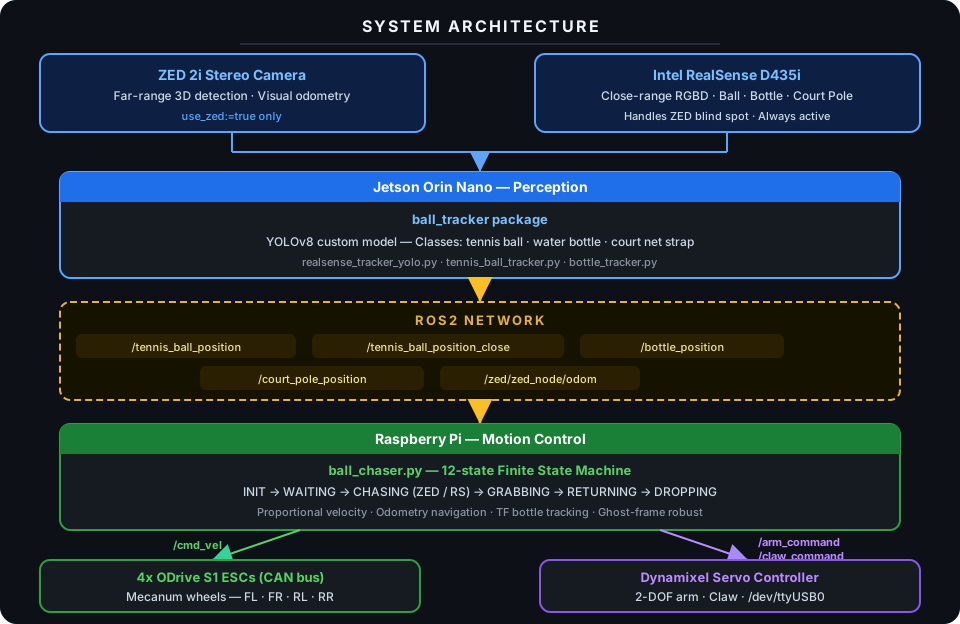
Full system architecture — cameras, perception, ROS2 network, motion control, and hardware
Hardware
- Mecanum-wheel chassis driven by 4 brushless motors via ODrive S1 ESCs on CAN bus
- ZED 2i stereo camera for far-range 3D ball detection and visual odometry
- Intel RealSense D435i RGBD camera for close-range detection and blind-spot handling
- 2-DOF servo arm (Dynamixel) with a claw for grasping and releasing tennis balls — designed and validated in simulation before hardware deployment
- Jetson Orin Nano running the perception stack; Raspberry Pi running motion control
- 6S LiPo battery (22.2 V) with an E-Stop relay that cuts motor power only — compute and servo rails run through always-on DC-DC converters so the robot's brain stays live when motors are killed
Power Distribution
Power is split at the circuit breaker into two branches: an E-Stop relay controlling the motor bus (ODrive ESCs), and a set of always-on DC-DC converters powering compute and servos. This means the Raspberry Pi, Jetson, and Dynamixel servos remain fully operational even after an E-Stop — allowing safe software inspection and recovery without a full power cycle.
Autonomous Mission
State Machine (ball_chaser.py)
- 1.INIT: Lock the drop-zone bottle position via TF, rotate to face the court.
- 2.WAITING: Monitor ball stillness — 4 consecutive frames must show the ball within 0.10 m laterally and 0.50 m in depth. A noisy detection frame decrements the counter by 1 rather than resetting it, making the system robust to ghost frames.
- 3.CHASING (ZED): Proportional angular + linear drive toward ball using ZED far-range detection.
- 4.CHASING (RealSense): Two-phase close approach — phase 1: stop and rotate to align; phase 2: drive at up to 0.4 m/s beyond 0.6 m, then slow to max 0.15 m/s for the final 0.6 m. A 4-second alignment timeout forces forward motion if ghost frames cause oscillation.
- 5.GRABBING: Stop at 0.30 m, confirm ball in frame twice, arm sweeps down, claw closes, arm raises.
- 6.RETURN: Navigate back to bottle drop zone using odometry and visual re-acquisition.
- 7.DROPPING: Arm sweeps down, claw opens, arm raises. Repeat mission.
Key Technical Challenges
- Camera handoff: Seamless transition between ZED (far) and RealSense (close) to handle each camera's blind spot.
- Ball stillness detection: Prevents chasing rolling balls by requiring 4 consecutive stable frames within a 0.10 m × 0.50 m window. Uses a soft-reset — a noisy frame decrements the counter by 1 rather than zeroing it, so a single ghost detection cannot wipe accumulated stability.
- Ghost frame robustness: YOLO detections are inherently noisy. Motion controllers use low angular gains and a 4-second alignment timeout to prevent phantom detections from causing oscillation or veering off course during approach.
- Drop zone exclusion: Logs dropped ball positions to avoid re-chasing just-released balls.
- ODrive initialization: Robust retry logic ensures all 4 motor axes enter closed-loop control before accepting commands.
- Distributed compute: Vision runs on Jetson GPU, control runs on Pi — coordinated purely through ROS2 topics over the network.
Videos
Final Demo
Final demo — autonomous ball retrieval on the court